Self-hosted · Early access
Team docs that live in Git

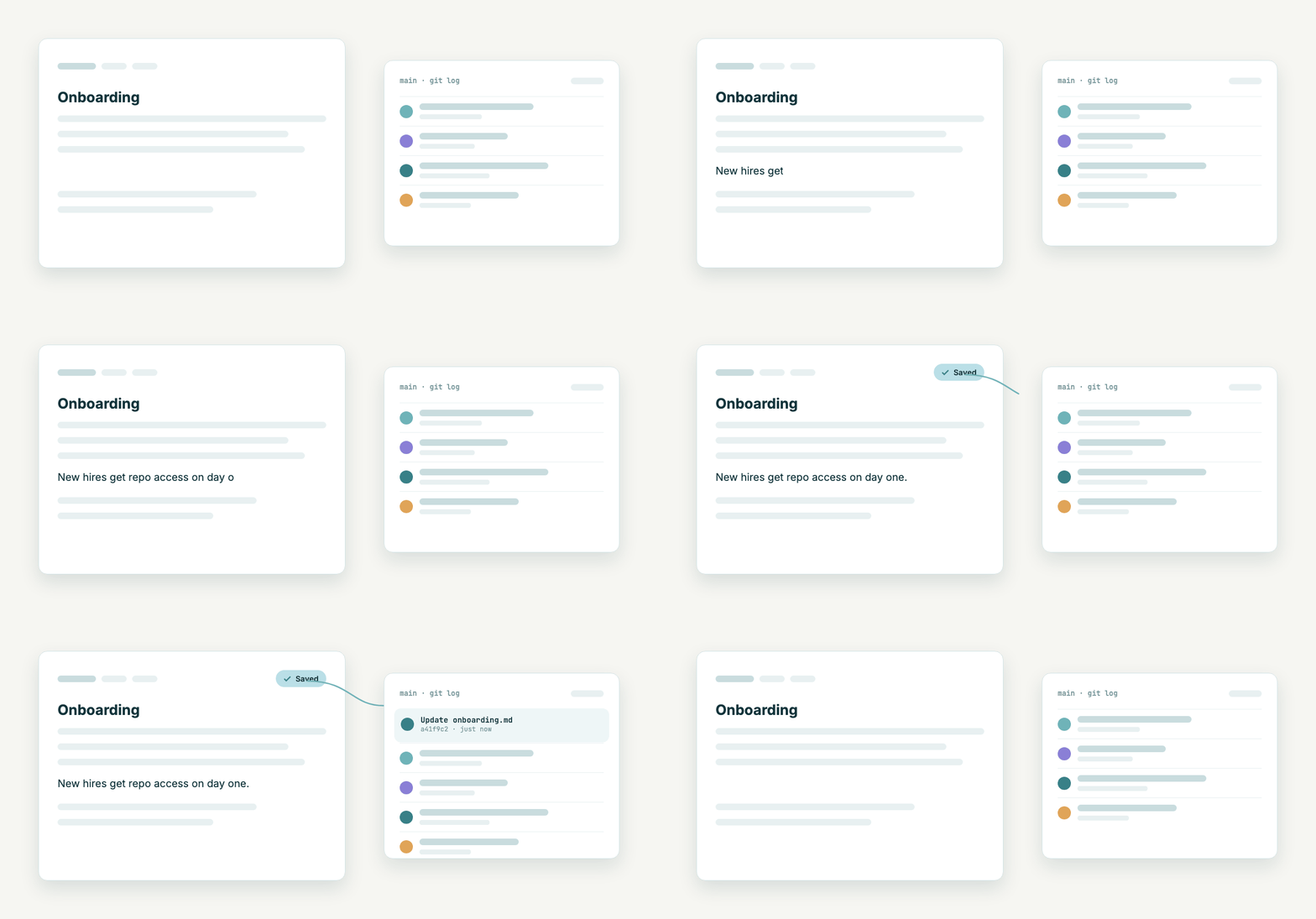
Edit in the browser and every save becomes a commit. Clone the same repo, let Claude Code or Cursor work on it, push, and the web UI shows the change. Your documents stay plain Markdown in a repository you own.

Typing a sentence in the DocuVault editor. It saves, and a new commit appears at the top of the git log.
Git is the source of truthMarkdown files in your own GitLab repo, with real history.
Built-in MCP serverAI agents read, write and share documents with the user’s permissions.
Yours to runDocker Compose on one Linux host. Your data stays on it.
AI is optionalWithout an API key the AI features are hidden, not broken.
Made for AI agents

Your agent writes the docs. Your team reads them.

DocuVault runs its own MCP server. Connect a client with one URL, sign in once in the browser, and the agent works on documents like any other team member.

MCP over HTTP + OAuth

From a prompt to a committed page

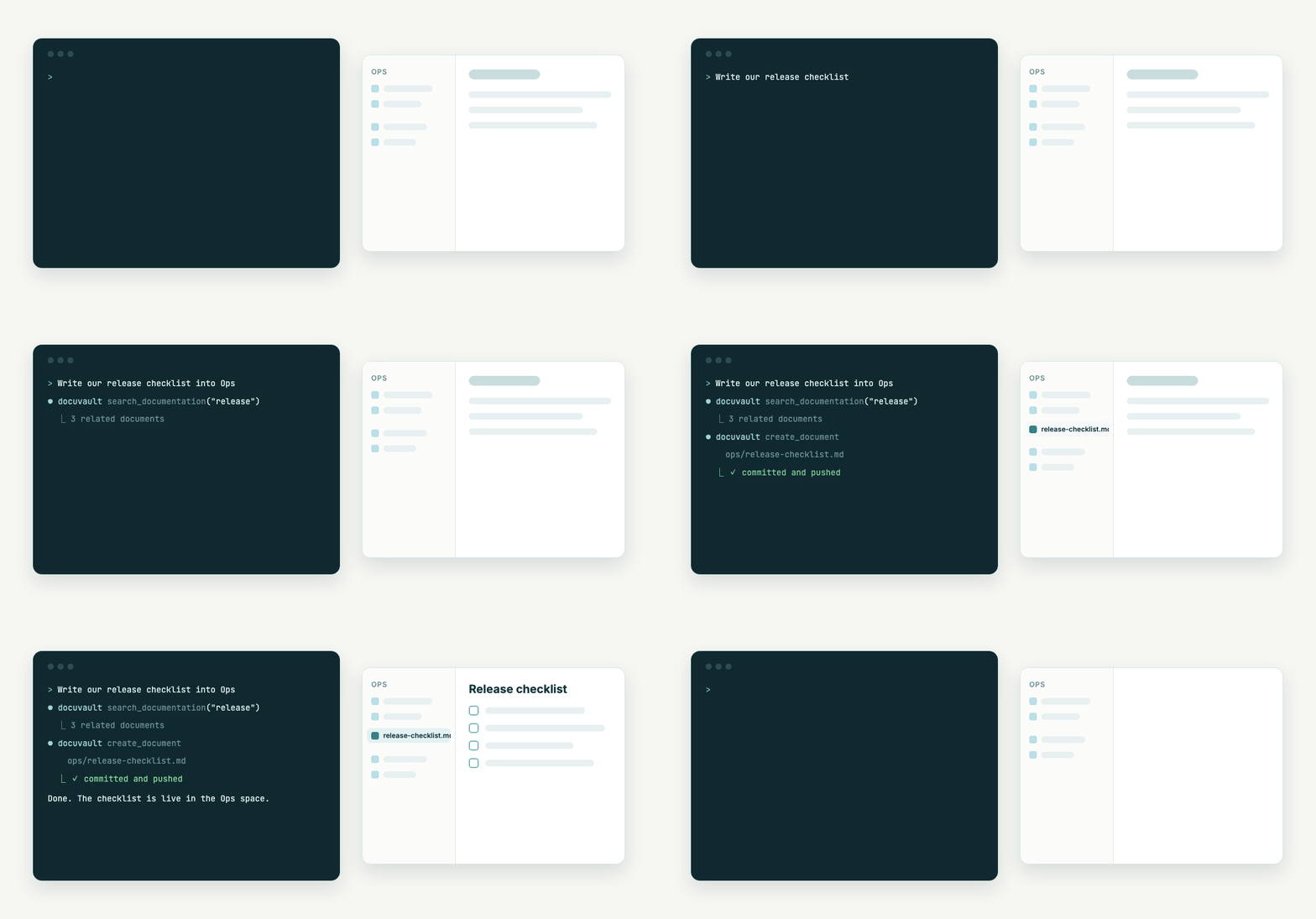
Ask Claude Code to write a runbook and it searches the space, creates the document and commits it. Everyone sees it in the web UI straight away.

  • 19 tools: search, read, create, edit and share documents, plus spaces, space state and tasks
  • Every call runs as the signed-in user, with that user’s space permissions
  • Binaries and large files move by one-time URL, so no bytes pass through the model
A terminal where an AI agent calls DocuVault tools. The new release checklist appears in the Ops space of the web UI.
Optional AI

Ask your documentation

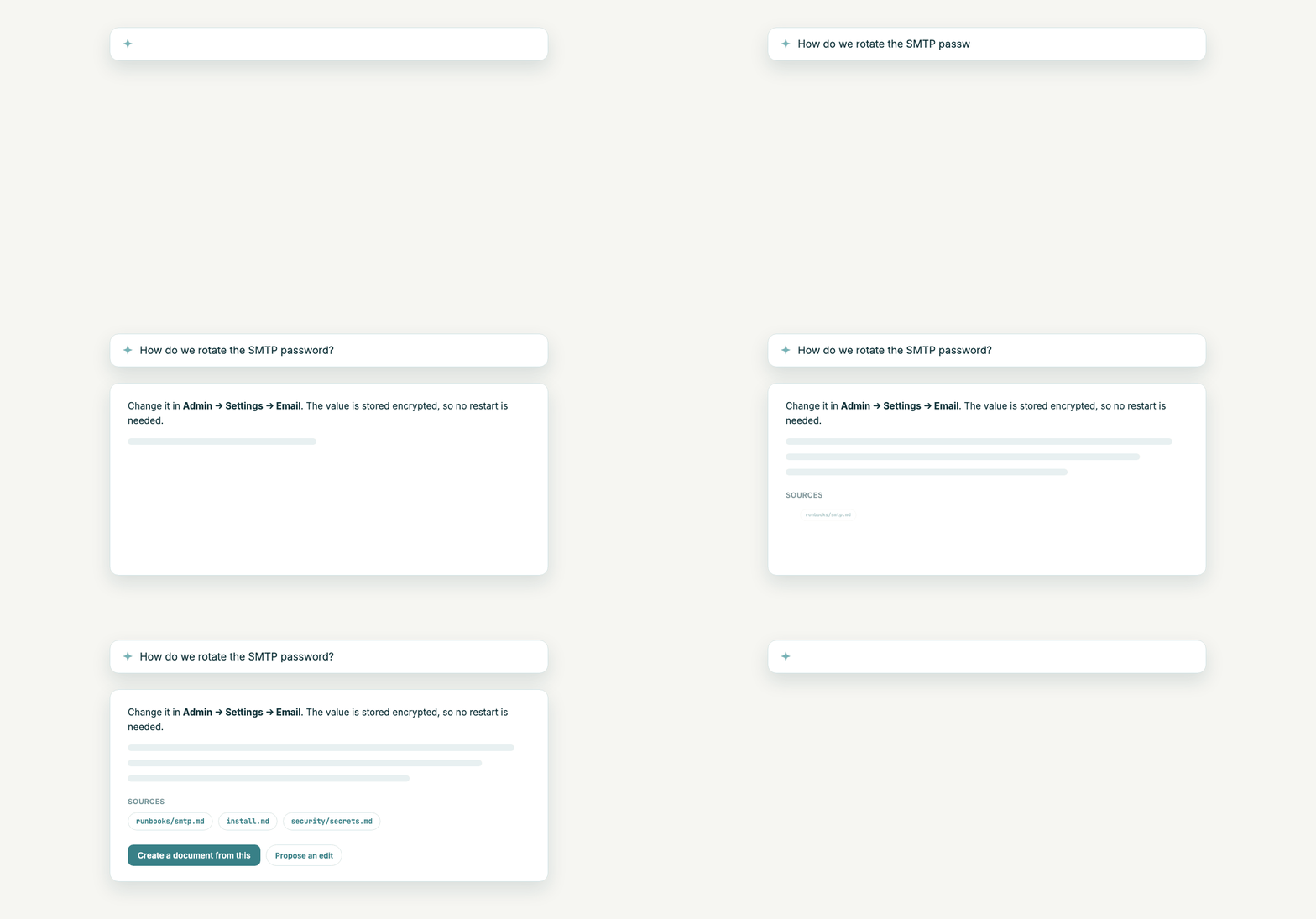
Ask a question across spaces and get an answer that names its sources. Turn the answer into a new document, or let the assistant propose an edit that you apply.

  • Semantic search with pgvector and OpenAI embeddings
  • Drafts status reports and meeting protocols from a space’s notes and tasks
  • Voice input and writing help in the editor
A question about rotating the SMTP password, answered with three linked source documents.
For the whole team

A real editor on top of a real repository

Developers keep their Git workflow. Everyone else gets a WYSIWYG editor, comments, history and sharing, without ever seeing a merge conflict.

Comments

Comment on the words you mean

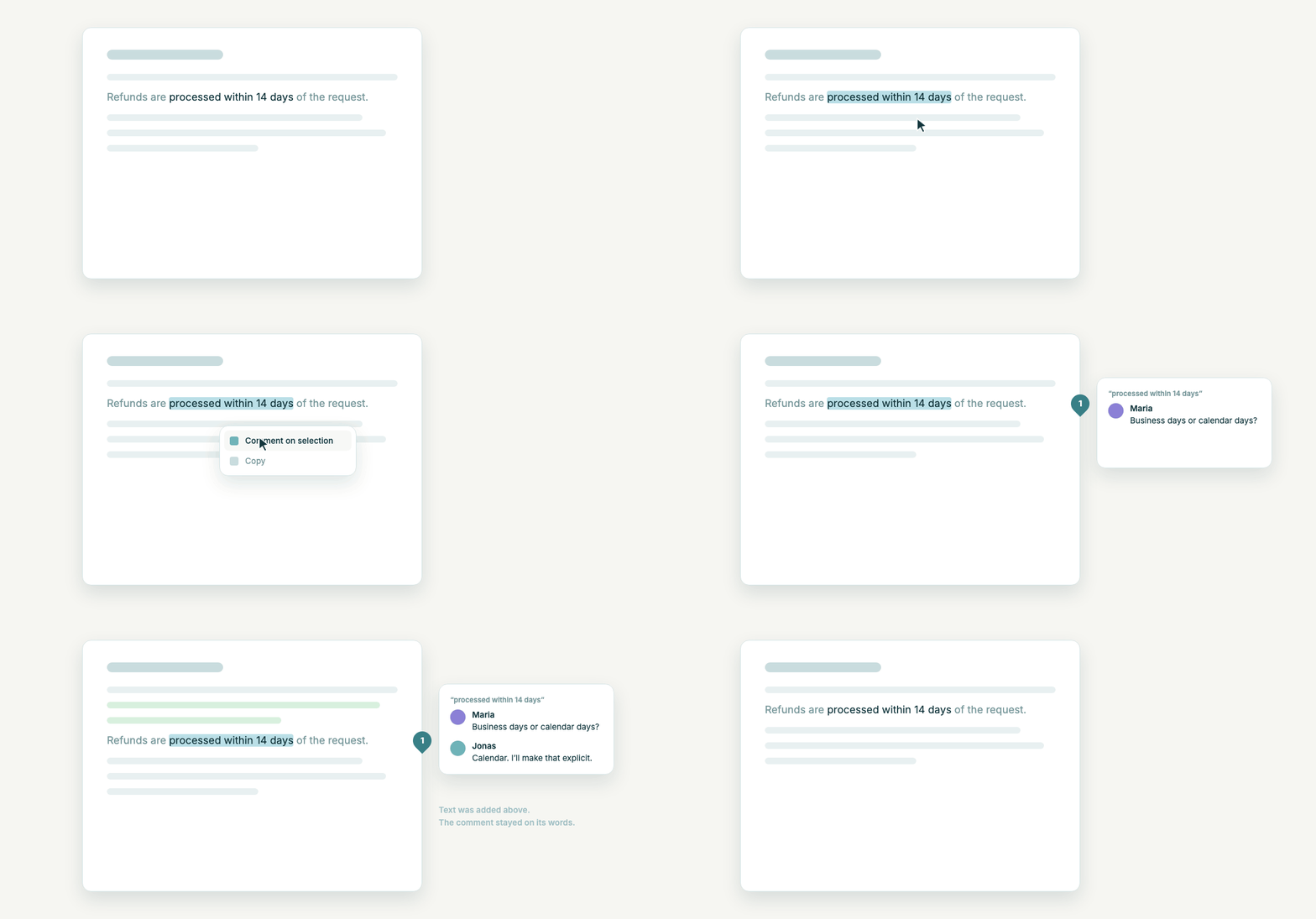
Select a phrase, comment on it, discuss it in a thread. Comments are anchored to the quoted text, not to a position, so they stay put when the page around them changes.

If the words are deleted, the comment is marked as orphaned instead of quietly disappearing.

A phrase is selected and commented on. New lines are added above it and the comment pin moves with the phrase.
Version history

Scrub back through every version

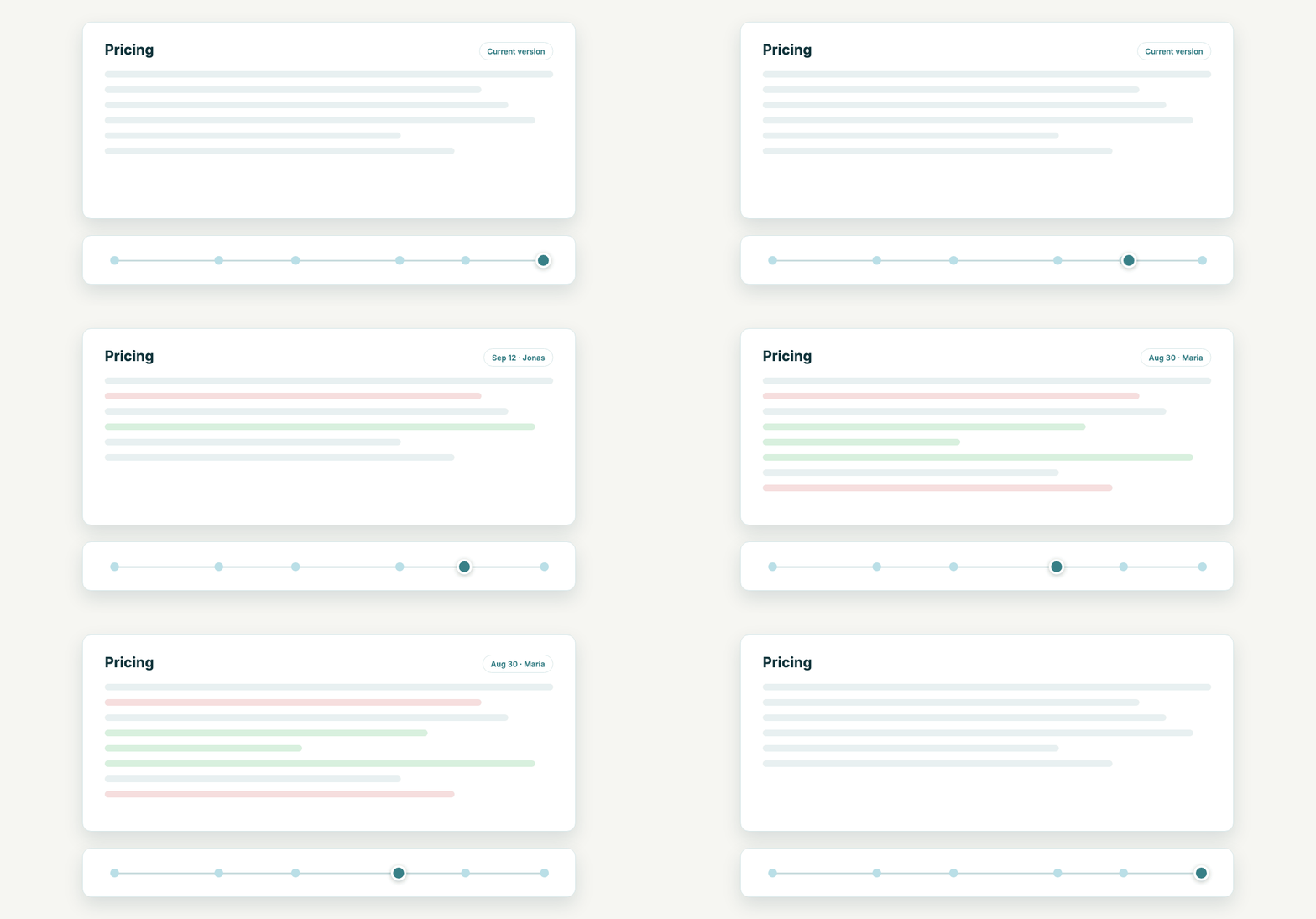
Every space is versioned in Git, including spaces without a remote. Drag through a page’s history and see what was added and removed at each step, and by whom.

Renames and moves are tracked, so old links forward to the new location and the original author stays the author.

A timeline slider moves back through versions of a Pricing page while added and removed lines are highlighted.
Public links

Share a page with anyone

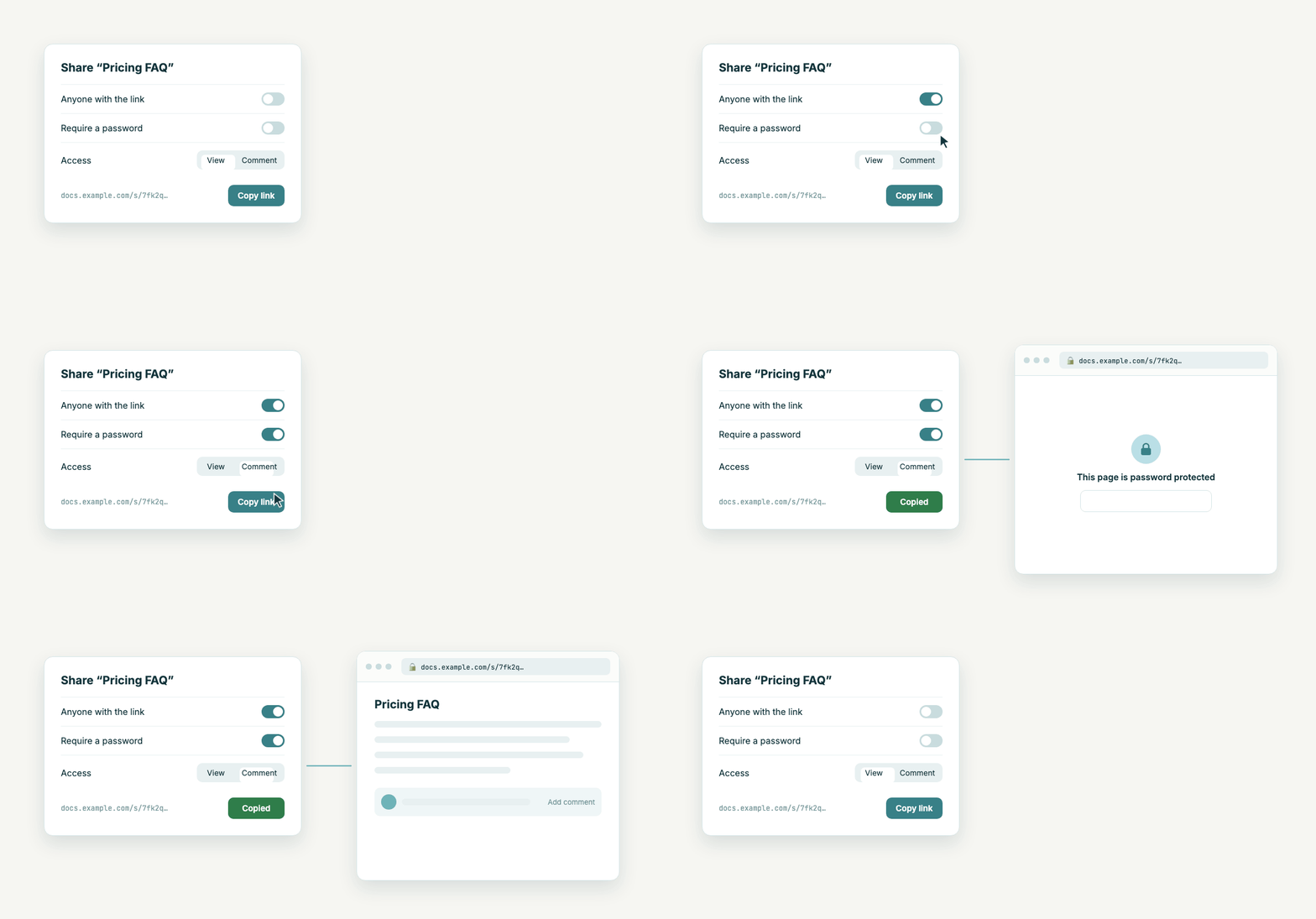
Create a link for people outside your team. Add a password, and choose whether they can only read or also comment.

Shared pages render embedded HTML and JavaScript on purpose, so interactive pages keep working. SECURITY.md explains the trade-off.

A share dialog with link, password and comment access turned on. The shared page asks for the password, then opens.
Inbox

Write it down now, file it later

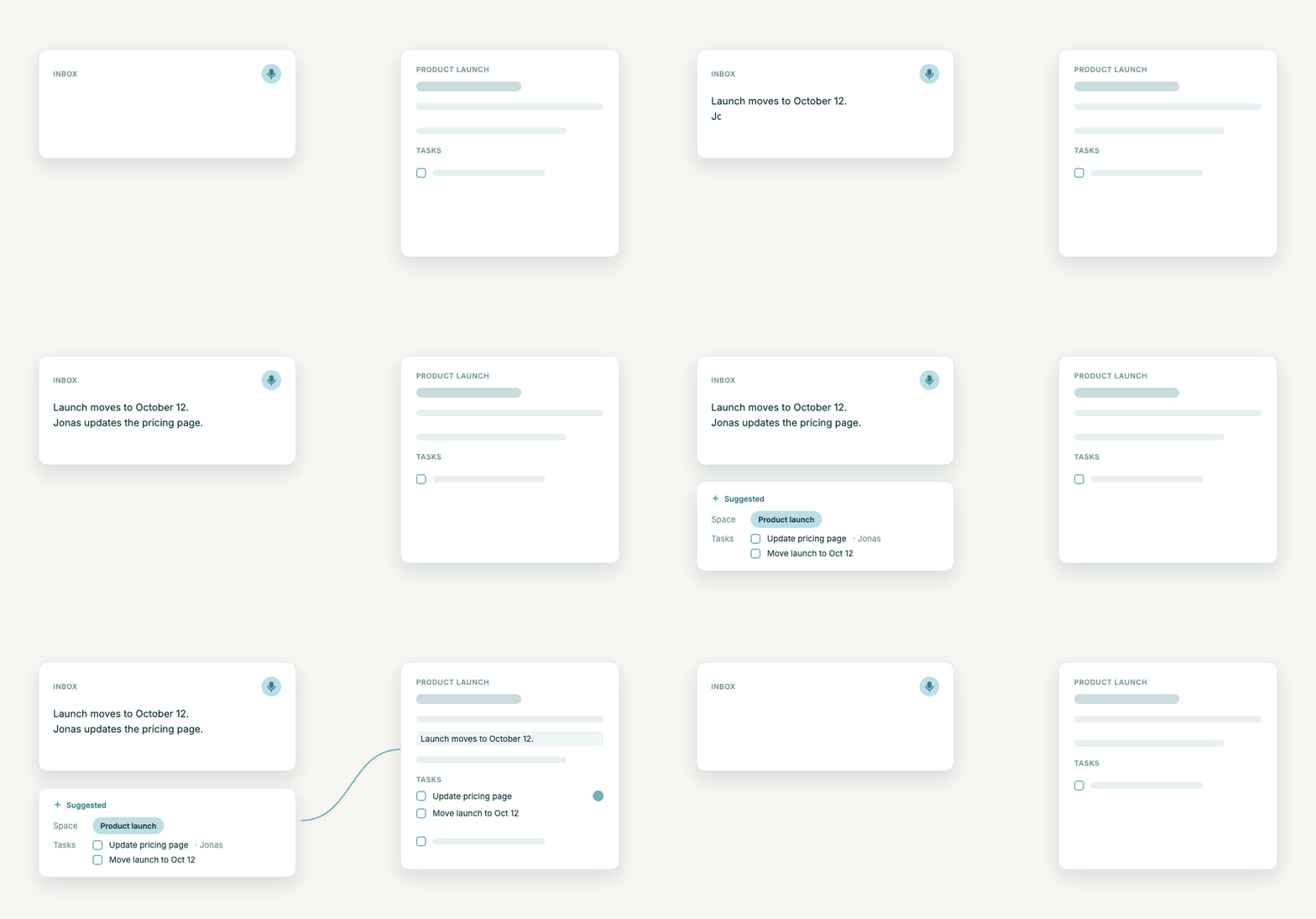
Type or speak a note into the inbox. The assistant suggests the space it belongs to and the tasks hiding in it. You confirm, and it lands in the right document.

Tasks are in alpha.

A spoken note becomes a suggestion with a target space and two tasks, then appears in the Product launch space.
Permissions

Grant access once per team

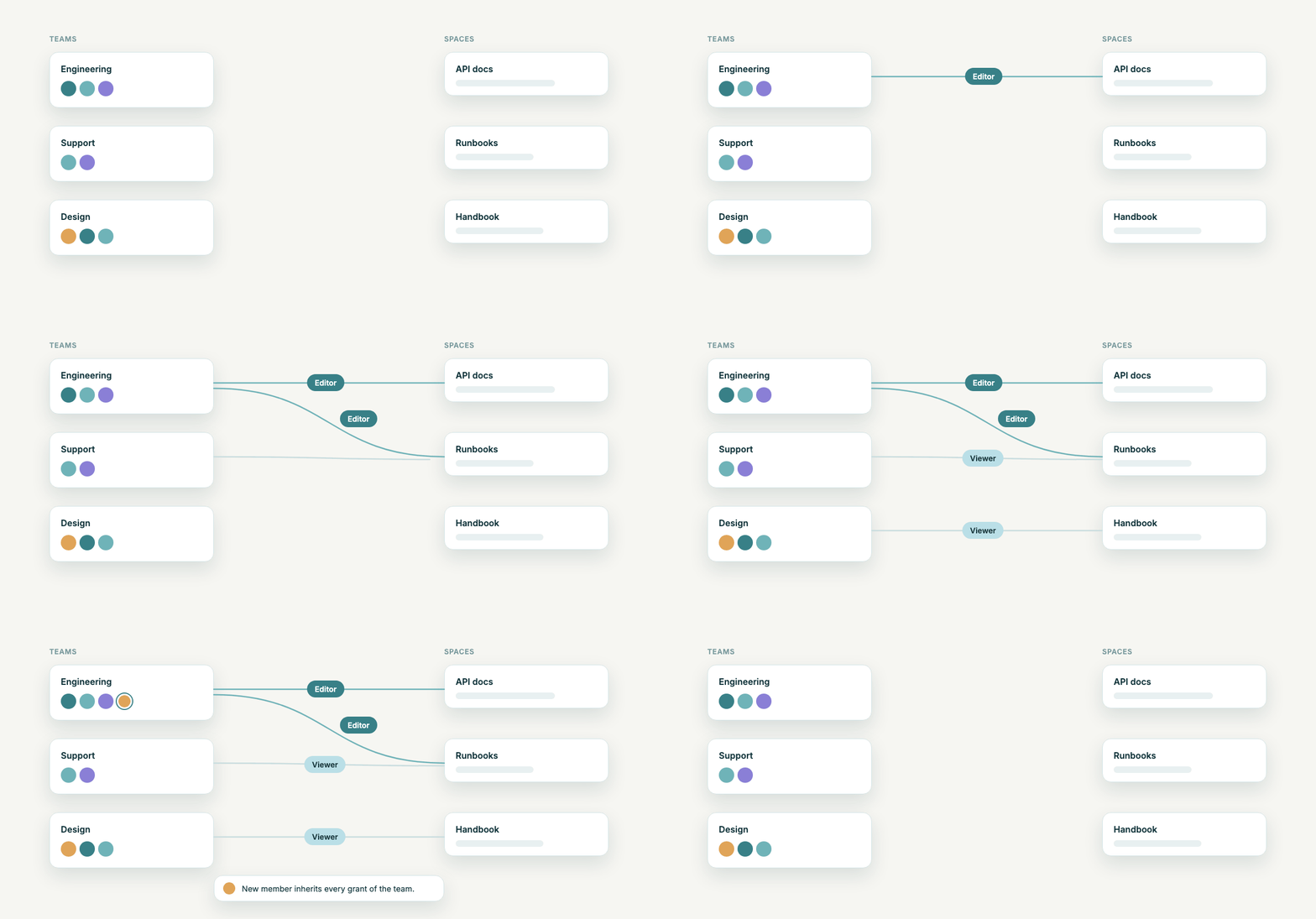
Super Admin, Org Admin, Editor and Viewer, plus per-space roles. Put people in teams and give a team access to a space. New members get every grant of the team, and the strongest grant wins.

Teams connected to spaces with Editor and Viewer roles. A new member joins Engineering and inherits its access.
And the rest

What you need to run it for real

TasksAlpha

Tasks with assignee, due date and status. Create them by hand, from inbox notes, over MCP, or from meeting action items.

WYSIWYG that writes Markdown

A TipTap editor that emits clean Markdown. HTML pages can be edited in the browser too.

First-boot setup wizard

Open the URL and create the first admin in the browser. No admin credentials in environment variables.

Settings in the admin UI

SMTP, OpenAI and GitLab are configured in the browser. Secrets are stored encrypted in the database.

Email notifications

Instant mails or a digest per user for changes in their spaces, plus invitations and password reset.

Meeting transcriptionAlpha

A bot joins your Teams or Discord meeting and files a meeting note and the transcript into a space’s inbox. Action items become suggested tasks.

Mobile apps

Optional iOS and Android apps built with Capacitor on top of the same web app.

API tokens

Personal tokens for scripts and CI. They work against the same MCP endpoint, with the same permissions as their owner.

Self-host

One Linux host, Docker Compose, done

You need a server with Docker, a DNS name and ports 80 and 443. TLS comes from Let’s Encrypt automatically.

Install

Spring Boot and Kotlin, Angular, PostgreSQL with pgvector, Redis and MinIO, behind nginx-proxy. deploy.sh backs up, pulls, swaps and health-checks, and rolls back if the new version does not come up.

# on the server
$ git clone --depth 1 https://github.com/Systaro/DocuVault.git /opt/docuvault
$ cd /opt/docuvault
$ cp .env.example.product .env
$ $EDITOR .env
$ ./deploy.sh latest
The images are public on ghcr.io/systaro/docuvault, so there is no account to create and no registry login. The install guide explains every setting.

Connect your AI client

One URL, then sign in once in the browser. Claude Desktop, Cursor and other clients with HTTP and OAuth support use the same URL.

$ claude mcp add --transport http docuvault \
    https://docs.example.com/api/mcp
# in a session: /mcp → docuvault → Authenticate

For scripts and CI, the same endpoint accepts a personal API token as a bearer header.

Keep your docs where your code is

DocuVault is source-available under the Business Source License 1.1. Self-hosting is free. Each version turns into Apache 2.0 after four years.